Changelog
What's New
New features, improvements, and fixes, shipped every few weeks.
1.2.0
SoundDrop Update v1.2.0
Smarter Storage, Better Feel, Smoother Playback
Thank you for listening with SoundDrop. This update gives you more control over your storage,
adds tactile feedback throughout the app, keeps your music playing more reliably, and brings a
refreshed look. Here is everything that's new.
✨ What's New
Storage Manager — Settings → Storage
See exactly how much space your music uses, all in one place.
Check how much space cached artwork and streamed songs take up.
Set your own cache size limit. The oldest cached items are removed first, and your downloads are never touched.
Clear the cache with one tap.
Review your downloaded songs and delete them all at once, with a confirmation first.
Haptic Feedback — Settings → Appearance → Haptic Feedback
SoundDrop now responds to your touch. Feel a gentle tick on taps, switches, bottom navigation tabs,
and every mini player control, including play, pause, skip, and swipe gestures. Turn it off any time
with a single switch.
vivo Origin Island Edition
vivo phone users now have a dedicated download, SoundDrop-v1.2.0-vivo-origin.apk, so your music,
controls, and cover art can appear in Origin Island and the music card.
Please note: this edition installs as a separate app and cannot be installed on a phone that
already has QQ Music.
A Fresh SoundDrop Signature Theme
Our Signature theme has a brand-new look in both dark and light modes, built around electric violet
and soft lavender.
🚀 What's Improved
Music haptics feel tighter. Vibration pulses now land right on the beat instead of just after it.
Music keeps playing after you leave the app. Closing SoundDrop from Recent Apps no longer stops
your music. If you had already turned this option on, your choice is kept.Pick up where you left off. If playback is stopped for any reason, the next time you press play
your song continues from the same moment instead of starting over.More reliable listening on VPN. Playback no longer cuts out when your VPN briefly disconnects and
reconnects. If sign-in is needed to play over a VPN, SoundDrop now tells you clearly.Wider lossless support. Improved compatibility with ALAC lossless audio streams.
Data-friendly artwork. On mobile data, SoundDrop loads smaller artwork, and reuses
high-resolution covers you have already saved instead of downloading them again.Quicker access from your notification. Tap the artwork on the system media player to jump
straight into the app.Cleaner, deeper dark mode. MIDNIGHT Mode (pure black) and the Floating Navigation Bar are now
on by default for new installs.
🛠 What's Fixed
Duplicate app icons. Fixed an issue where two SoundDrop icons could appear on your home screen
after an update or after changing the app icon.Cover art cut off on tablets. Full-screen artwork now displays completely on tablets, including in
portrait orientation.Cover art on vivo devices. Album covers now show correctly on vivo Origin Island and the music card.
Fewer false security warnings. Reduced the chance of some antivirus apps flagging SoundDrop by mistake.
🗑 What's Removed
Startup permission. SoundDrop no longer asks for permission to run when your phone starts. It never
needed it, and removing it keeps the app lighter and more private.
Note
Notice for Vivo OriginOS Users:
Vivo users (SoundDrop-v1.2.0-vivo-origin.apk): OriginOS only shows apps from vivo's own allowlist in Origin Island and the music widget, so this build uses an allowlisted package name. It installs as a separate app next to regular SoundDrop (data is not shared), it cannot be installed alongside the real QQ Music app, and it updates itself from this vivo APK only. If you installed an older vivo build (shown as Spotify), uninstall it first.
Warning
Notice for Android 7.0 – 9.0 Users (SoundDrop-v1.2.0-android7.apk):
Hardware GPU glassmorphism / live blur requires Android 12+ and is automatically replaced with translucent dark canvas acrylic styling on older devices.
The media notification uses classic Android media controls rather than Android 13's wavy-progress player.
For any device running Android 10 or newer, please install the standard
SoundDrop-v1.2.0-universal.apkfor optimal performance and memory efficiency.
v1.0.1
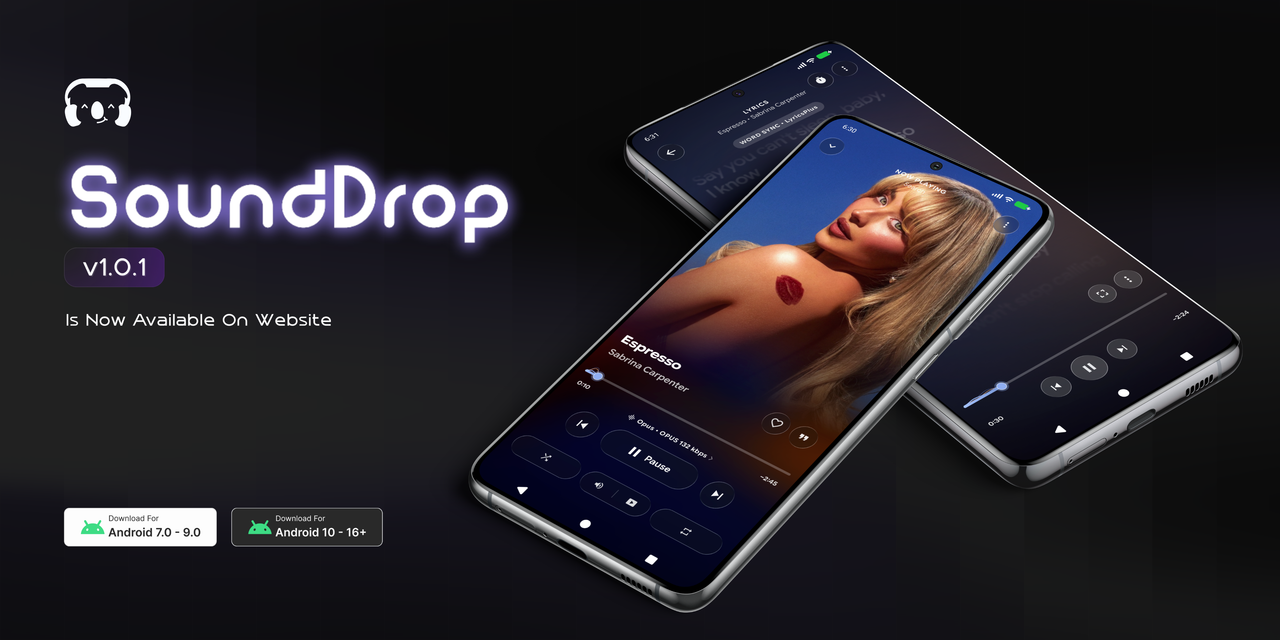
Official First v1.0.1 Release
First Official Version Release v1.0.1
UI Update
Feed Screen / Home Screen UI
More Compact Cards
Smooth Animations
Loading Skeleton
Sections Redesigned
Download Screen
Songs, Artists, Albums Tab Seperated Filter
Search Bar And Sorting
More Compact Songs List & Cards
Widget & Notifications
UI Redesigned
Search Screen
UI Design Improved & Better Functionality
How To Update App?
Step 1: Check for Updates Inside SoundDrop
Open the SoundDrop app on your device.
Handle the update pop-up: If an update notification appears immediately on your screen, tap Update. This will automatically open your web browser and take you to the download page.
Check manually (if no pop-up appears):
Navigate to the Settings menu.
Scroll down and select System & About (or About & System).
Scroll down to the bottom and tap the Check for Updates card.
If a new version is available, tap the Update button to launch the download page in your web browser.
Step 2: Download the APK File
Bypass the blank browser page: When your browser opens, the screen may appear empty or white. This is normal behavior while the server prepares your file.
Confirm the download: A warning prompt will appear asking if you want to download the file anyway (especially if you have previously installed a SoundDrop APK).
Tap Download Anyway to start saving the file to your device.
Step 3: Install the Update
Locate the file: Once the download finishes, open your device's File Manager app.
Open the APK: Navigate to your Downloads folder, find the newly downloaded
SoundDrop.apkfile, and tap it.Initiate setup: Tap Install when prompted by the system.
Step 4: Pass Google Play Protect & Security Scans
Run the security check: Your operating system or Google Play Protect will prompt you to scan the app. Tap Scan and Install.
Authorize the final installation: Once the security scan completes successfully, Google Play Protect will present two options (typically Install or More Details / Cancel).
Tap Install to finalize the process.
The system will overwrite your old app version without deleting your data. Once completed, open SoundDrop and enjoy your new features!
1.0.0 BETA
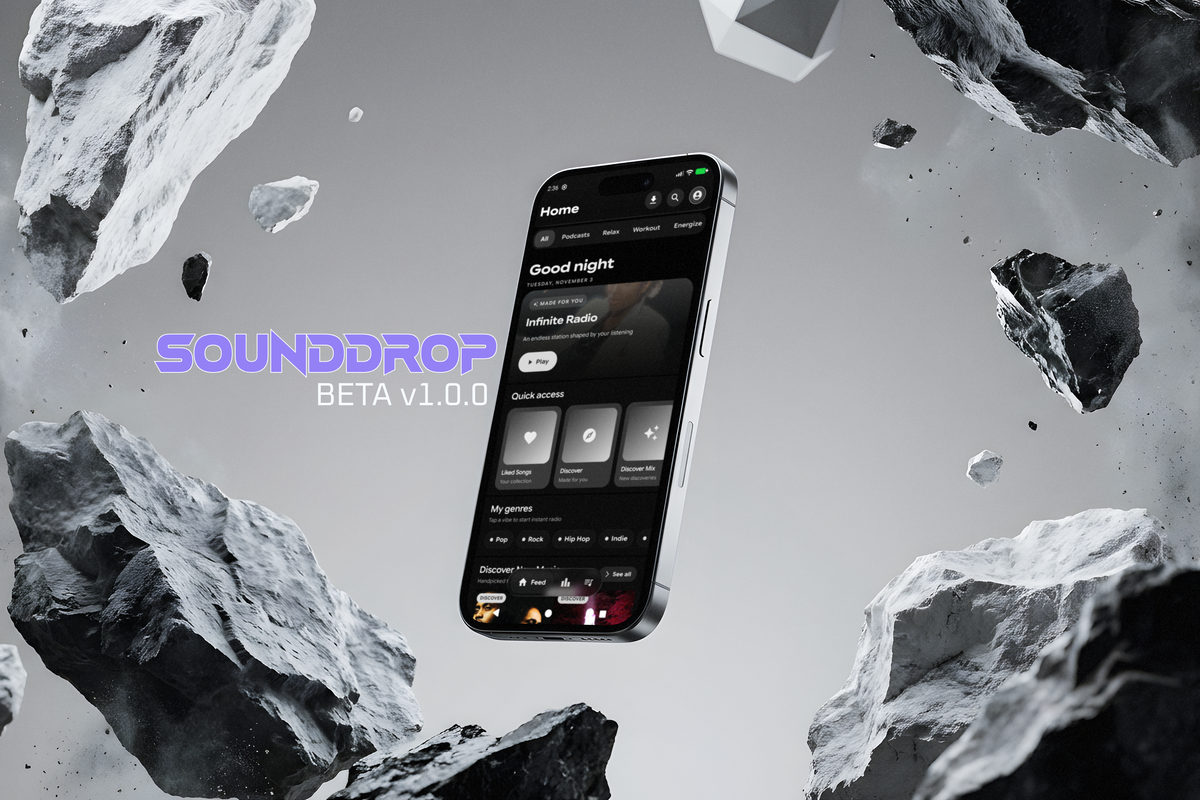
SoundDrop First v1.0.0 BETA Release
This is the Beta Version of 1.0.0 Pre Release. So It may have some minor bugs and glitches or errors.
Overview
SoundDrop is a fast, native Music Player for Android that looks great and sounds even better. Built with Material 3 Expressive and Liquid Glass UI, it gives you a clean, fluid design that adapts to your music.
For audio lovers, SoundDrop packs Bit-Perfect USB DAC output, Lossless FLAC addon support, AutoEQ headphone presets with parametric EQ, smooth Automix transitions, Spotify Canvas & integration, and real-time synced lyrics, all in a lightweight app.
Features
Playback
| Audio
|
Lyrics & Discovery
| Library & Account
|
Social
| Interface
|
Quick Setup
Install the APK on your Android device.
(Optional) Navigate to Settings → Audio to configure:
Bit-Perfect Output: Enable exclusive USB DAC mode for bit-perfect audio.
AutoEQ Presets: Search for your headphones/IEMs to apply calibrated parametric EQ curves.
Lossless Addons: Enable the modular addon service for 24-bit Hi-Res FLAC playback.
Start streaming music, listening to customized radios, and enjoying synced lyrics!
Disclaimer
SoundDrop is an application developed strictly for educational and research purposes.
No Affiliation: This project is not affiliated with, funded, authorized, endorsed by, or in any way associated with Google LLC, YouTube, YouTube Music, Spotify, Apple Inc., Last.fm, or any of their subsidiaries.
Content Delivery: SoundDrop does not host, store on private servers, or distribute copyrighted media. All playback streams and metadata are resolved directly from public endpoints.
Trademarks: All product names, logos, trademarks, and registered trademarks belong to their respective owners.
Never miss a release.
Get a short summary of new features and fixes whenever we ship.
One email every two weeks. Unsubscribe anytime.